Office & Team Games
How to Run a Workplace Scavenger Hunt That Does Not Feel Awkward
A practical guide to running a work-safe scavenger hunt for meetings, onboarding, retreats, office parties, and hybrid team moments.
The short answer
A workplace scavenger hunt works best when it is work-safe, short, and easy to host. Define approved areas, avoid private desks or personal information, choose a format that fits the room, and keep the debrief practical.
A workplace scavenger hunt can be a surprisingly good team activity, but only when it is designed for an actual workplace.
That means no embarrassing personal questions, no asking people to dig through private desks, no complicated setup that requires the host to hide clues around the building, and no activity that feels like it was made for kids and then awkwardly dropped into a staff meeting.
The best version is simple: give people a clear list of work-safe prompts, define approved areas, set a short timer, and let teams find, discuss, or document items that help them notice the workplace in a lighter way.
What is a workplace scavenger hunt?
A workplace scavenger hunt is a team activity where players complete prompts connected to the office, meeting space, team habits, or work environment.
Unlike a traditional scavenger hunt, it does not need hidden objects. In a workplace version, players might:
- find something that helps a meeting start on time;
- point out a useful resource for a new hire;
- choose one item that makes the team more organized;
- name a low-pressure way to welcome a new teammate;
- find a safe object that could represent teamwork.
The goal is not to race around like children at a birthday party. The goal is to create a quick, structured moment where people move, notice, talk, and reset their energy.
10 work-safe workplace scavenger hunt ideas
Use prompts that help people notice the shared workplace without asking them to reveal personal information. These examples work as a starting set:
- Meeting helper: find something that helps a meeting start or finish on time.
- New-hire resource: point to one public resource a new teammate should know about.
- Quiet problem-solver: find an ordinary object that prevents a small daily frustration.
- Team color: find three safe objects that match a color your team chooses.
- Useful sign: locate a public sign or label that makes the space easier to use.
- Low-tech backup: find something the team could use if a screen or meeting-room tool stopped working.
- Five-letter hunt: find safe objects beginning with five different letters.
- Process clue: identify one visible item connected to how work moves from request to completion.
- Welcome signal: choose something that could help a visitor or new teammate feel less lost.
- Remote version: describe a safe desk object in chat and let teammates guess it; cameras stay optional.
For a short meeting, choose five prompts. For a 20-minute office hunt, use eight to twelve. A smaller, well-matched list is usually better than a long page of filler.
If your group needs a different format, compare these ideas with our practical guide to printable team-building activities. For a quieter start, the free work-safe icebreaker questions provide a no-movement alternative.
Why many office scavenger hunts feel awkward
Most bad workplace games fail for one of three reasons.
First, the prompts are too personal. Questions about fears, family, secrets, big life goals, or “fun facts” can make people uncomfortable, especially with coworkers they barely know.
Second, the activity ignores workplace privacy. Anything that sends people into desks, drawers, bags, screens, private offices, or personal documents is a bad idea.
Third, the host has to do too much. If a game requires custom clues, room mapping, hidden objects, props, printed instructions, and a perfect schedule, it often dies before it starts.
A good workplace scavenger hunt should feel easy to run and easy to join.
When to use a workplace scavenger hunt
This kind of activity works best when you need a short reset, not a full event.
- new-hire onboarding sessions;
- team meeting warm-ups;
- staff retreats;
- workshop breaks;
- office parties;
- hybrid team check-ins;
- small business team activities;
- cross-team introduction sessions.
It is especially useful when people are polite but quiet. A scavenger hunt gives them something to do together, so they are not forced into random small talk from a cold start.
Keep the rules simple
You do not need many rules. You just need clear boundaries.
- Stay only in approved public areas.
- Do not open private desks, drawers, bags, lockers, offices, screens, emails, files, or personal documents.
- Work in teams of 2-5.
- Skip or substitute any prompt that does not fit your space.
- Return when the timer ends, even if the list is not complete.
That last rule matters. A short activity should end while the energy is still good.
Choose the right format for your group
Not every team should play the same way.
- Classic office hunt: best when people can move through approved public areas.
- Photo challenge: useful for parties or retreats, but keep it photo-safe.
- People and connection hunt: helpful for onboarding and cross-team introductions.
- Desk or table mode: better for quiet rooms, short meetings, or limited mobility.
- Remote or hybrid mode: use chat answers, camera-optional prompts, and safe object descriptions.
The format should fit the room, not the other way around.
Add a short debrief without making it preachy
Some groups like a quick reflection at the end. Some do not. The trick is to keep it short and practical.
Use one prompt only:
- What was the most unexpected safe find your team made?
- What is one small thing that helps this workplace run better?
- What helped your team make decisions quickly?
- What would make this activity easier for someone new?
Then stop. Do not turn a light activity into a lecture about “the meaning of teamwork.” People can feel the point without being forced to perform inspiration.
Can ChatGPT make a workplace scavenger hunt?
Yes, you can ask ChatGPT to make one. And honestly, it might give you a starting list.
But once you try to use that list in a real workplace, the messy parts show up fast. Some prompts are too vague. Some are not work-safe. Some do not fit a small office. Some assume people can walk around freely. Some forget hybrid teams. Some sound like generic icebreakers with “office” pasted on top.
Then you end up spending more time editing, removing awkward questions, rewriting rules, checking privacy issues, creating printable pages, making a score sheet, and explaining the game to the host.
That is exactly the kind of work a ready-to-use kit should save.
A simple setup checklist
Before you start, decide:
- Which areas are allowed?
- Will people walk around, stay at tables, or play remotely?
- How long should the hunt last?
- Will teams submit every prompt or only their best finds?
- Do you want a light wrap-up at the end?
For most office situations, 15-20 minutes is enough for the hunt itself. Add 5 minutes for instructions and 5 minutes for a short close.
Workplace scavenger hunt FAQ
How long should a workplace scavenger hunt take?
Allow about 5 minutes for instructions, 15-20 minutes for the hunt, and no more than 5 minutes for scoring or one optional debrief question.
How many people should be on each team?
Teams of 2-5 are usually large enough for conversation but small enough for everyone to take part. Very large groups can run the same prompt set in separate teams.
Can a workplace scavenger hunt work remotely?
Yes. Use chat answers, safe desk-object descriptions, or camera-optional prompts. Never require someone to show a private room, screen, document, or person.
What should an office scavenger hunt avoid?
Avoid private desks, drawers, bags, screens, personal documents, embarrassing questions, mandatory photos, and prompts that depend on a specific building layout.
Ready-to-use printable
Want a ready-to-use version?
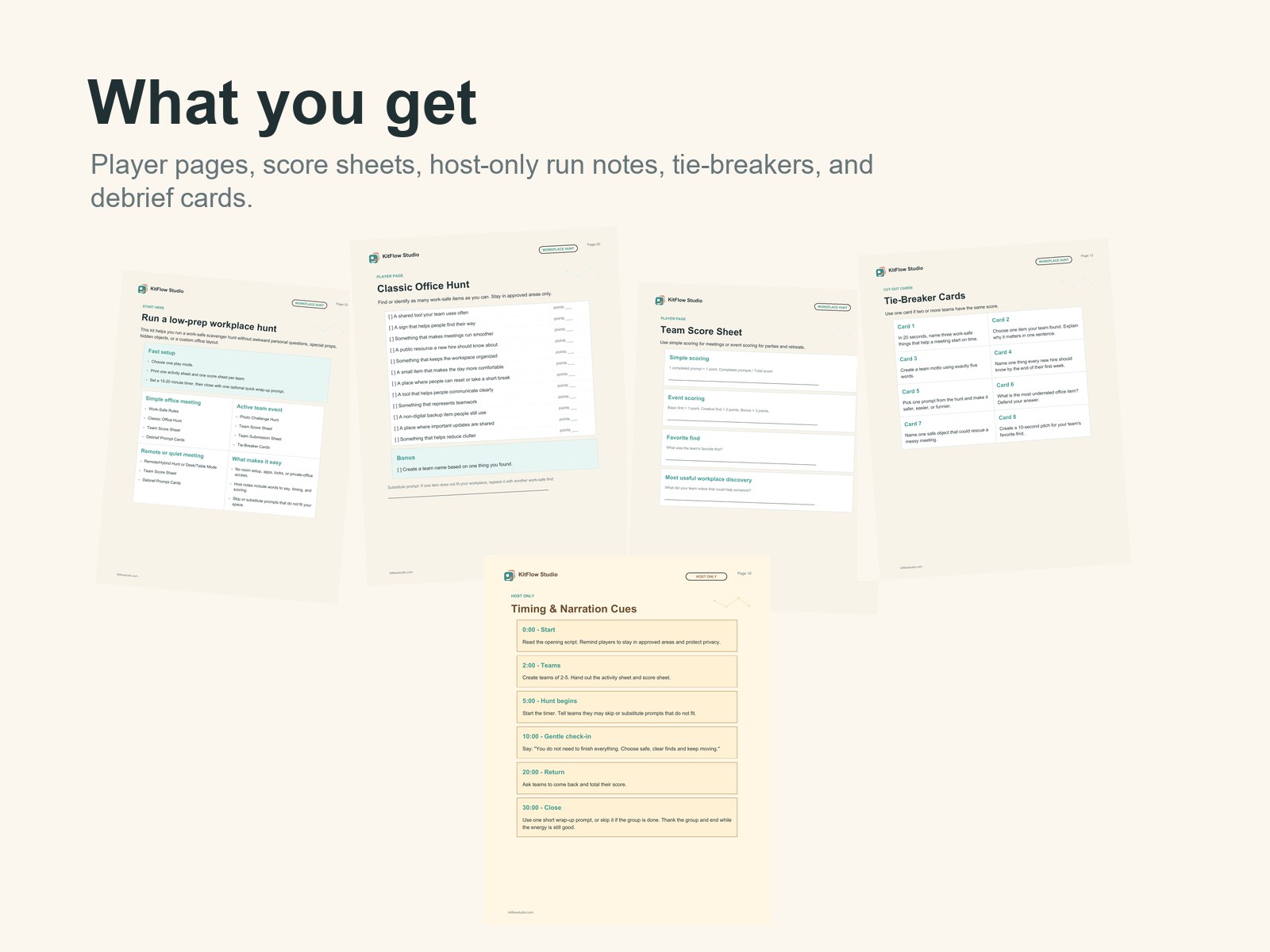
If you want to skip the blank-page work, the Workplace Scavenger Hunt Kit includes printable US Letter and A4 PDFs, color and ink-friendly versions, five play modes, score sheets, tie-breaker cards, optional debrief cards, and host notes.
It is designed for real workplace use: low-pressure, work-safe, and quick to run.