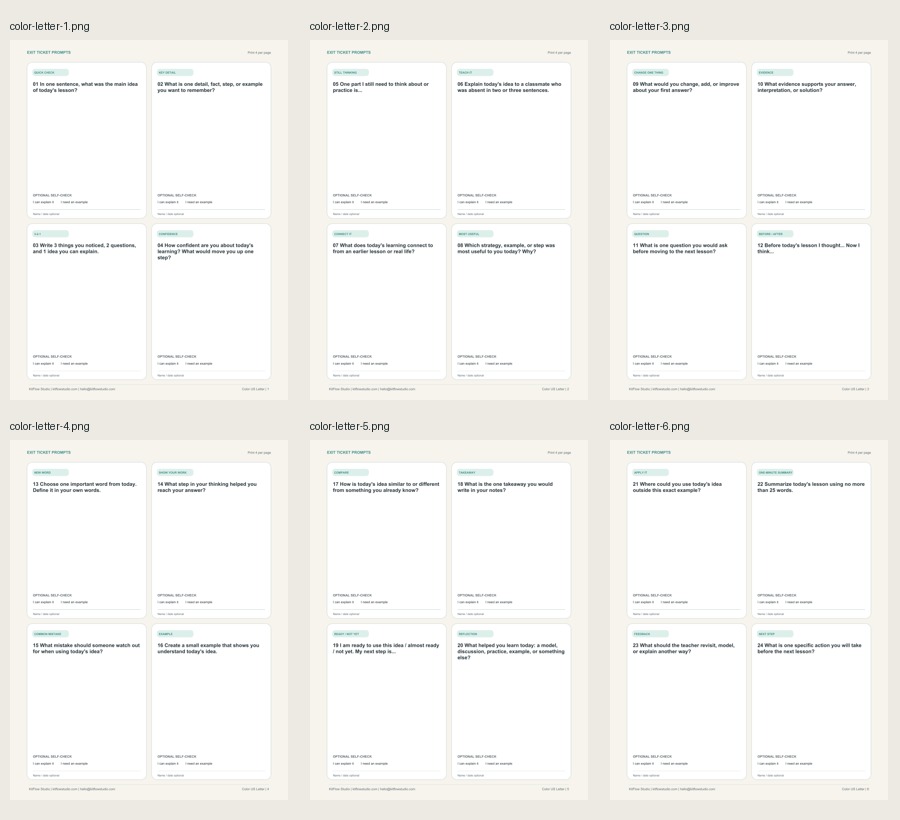
A simple end-of-lesson reflection routine
An exit ticket is a short prompt students answer at the end of a lesson. Teachers use the responses to notice what students understood, what needs another example, and what to revisit next.
This product gives you a reusable prompt system instead of a blank page. Choose one prompt, give students 2-5 minutes, then scan for a useful next-step signal.
Made for low-prep classroom moments
- Elementary and middle-school teachers
- Tutors and small groups
- Homeschool routines
- Lesson wrap-ups and reflection
- Confidence checks and next-step planning
Print only the format you need
Use it in five small steps
- Choose one prompt that matches today’s lesson.
- Print the 8-up quick card if students respond elsewhere, or the 4-up write-on card if they need space on the page.
- Give students 2-5 minutes to respond.
- Scan for patterns: a misunderstanding, a useful question, or a next step.
- Decide whether to reteach, model, practice, pair, or move on.
More ready-to-use than a blank template
You could ask an AI tool for a reflection question, but turning that idea into a repeatable, printable routine takes additional time. This system organizes 24 prompts by classroom moment, includes reliable print formats, and gives you a controlled editable source for prompt changes.
It does not claim curriculum alignment, diagnose learning, or guarantee student outcomes.
Questions before you buy
What is an exit ticket?
It is a short end-of-lesson response that helps a teacher notice understanding, questions, confidence, or next steps.
Do students write on the cards?
They can. Use the 4-per-page Write-On Response Cards for direct writing, or use the 8-per-page Quick Prompt Cards when students respond in a notebook, on a sticky note, in discussion, or digitally.
Why are there not 10 cards per page?
Ten per page would save slightly more paper, but the smaller prompt area would reduce readability and cutting comfort. The package prioritizes a practical 8-up economy mode and a more spacious 4-up write-on mode.
Can I edit the templates?
Yes. The PowerPoint source lets you edit the prompt text in the provided text areas. The layout and decorative elements remain controlled for reliable printing.
Do I need PowerPoint?
No. The ready-to-print PDFs do not require PowerPoint. PowerPoint is needed only if you want to edit the source file.
Is this a physical product?
No. This is a digital download. No physical item will be shipped.
Can I share it with my whole school?
The license is for one teacher’s own classroom, tutoring practice, or homeschool setting. Broader sharing requires additional permission or licenses.