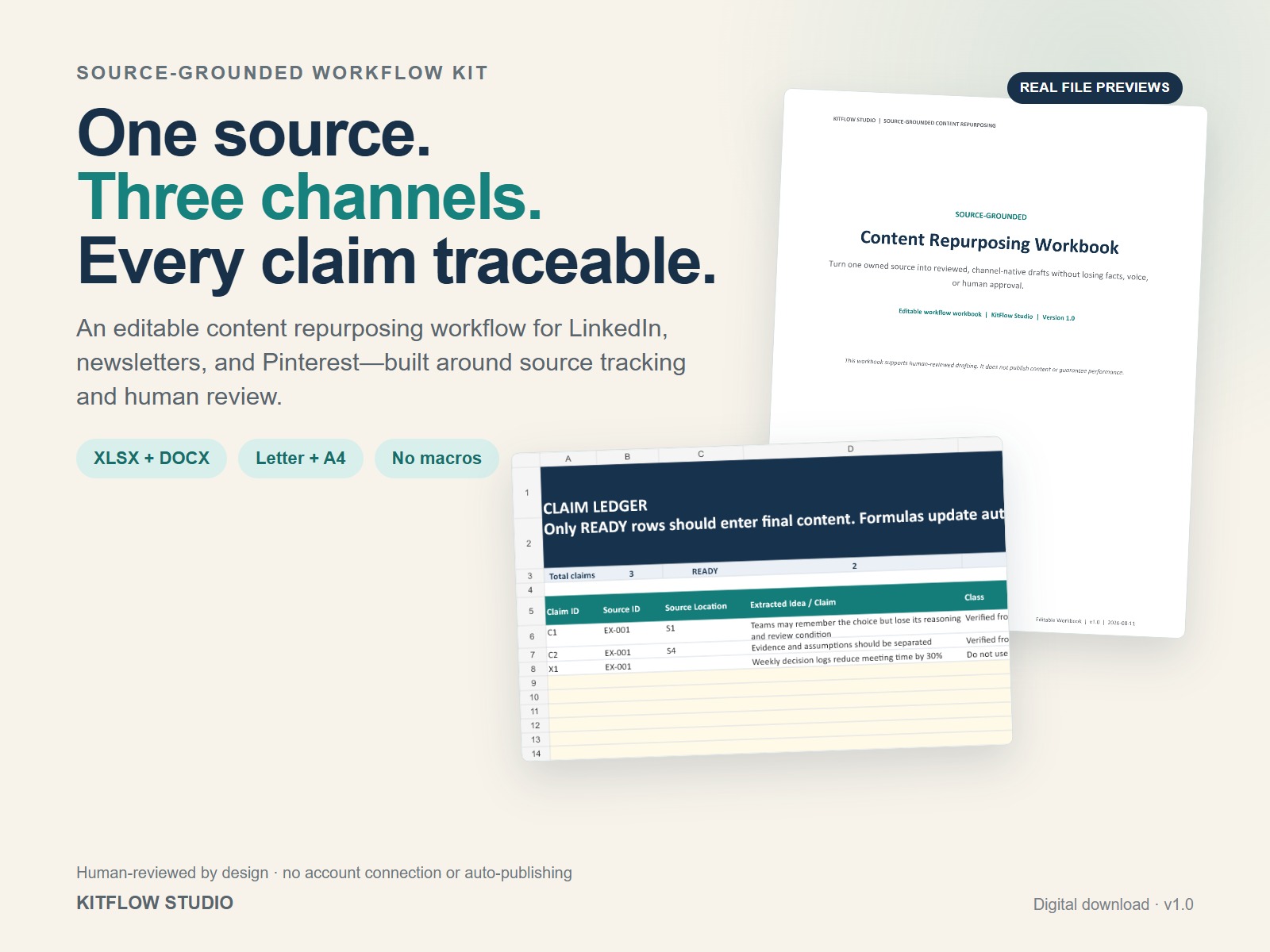
A content repurposing workflow you can actually review
AI can generate more text. The harder part is keeping that text connected to a source, separating supported claims from assumptions, preserving your voice, adapting the structure for each channel, and deciding what is ready to publish.
The Source-Grounded Content Repurposing Workflow Kit gives creators, consultants, and small teams a practical seven-step system. It is not an automation service, social scheduler, or naked prompt bundle.
Editable planning, a real example, and visible approval gates
Six-sheet Excel ledger
Start Here, Source Register, Claim Ledger with READY / REVIEW / BLOCK logic, Transformation Plan, Outcome Log, and controlled lists.
Ten-page Word workbook
Source briefing, extraction, claim classification, channel adaptation, red-team review, outcome learning, and final approval.
Plain-text prompt blocks
Source-led prompts for extraction, claim review, channel drafting, voice review, and unsupported-claim checks.
Five guide pairs
Start Here, Channel Cards, Completed Example, Quick QA Checklist, and License and Support in both US Letter and A4.
Seven steps from source to approved draft
- Register: record one article, transcript, podcast, video, or other source you own or have permission to reuse.
- Extract: capture useful ideas and keep a stable source location.
- Classify: separate supported claims, attributed material, opinions, assumptions, and statements that should not be used.
- Focus: choose one objective, audience, and core message.
- Adapt: create channel-native LinkedIn, newsletter, and Pinterest versions.
- Review: check accuracy, attribution, voice, usefulness, platform fit, and CTA.
- Learn: record the result and decide what to reuse, revise, retire, or expand.
Prompts create text; a workflow creates editorial decisions
A prompt does not automatically preserve reuse rights, track source locations, separate facts from assumptions, adapt one message thoughtfully for each channel, or make final approval visible. This kit gives the prompts a working system of inputs, claim decisions, channel cards, human review, and an outcome log.
Creators and small teams with useful source material already available
- Solo creators with an article, transcript, podcast, or video library.
- Consultants turning expertise into recurring thought-leadership content.
- Small marketing teams that need visible editorial control.
- Newsletter writers adding LinkedIn and Pinterest distribution.
Clear about what is editable—and what is not included
Microsoft Excel and Microsoft Word are the primary editable formats. Google Sheets and Google Docs can import the files, but colors, validation presentation, or spacing may vary. PDFs are included in US Letter and A4. Prompt blocks work in any plain-text editor.
No AI credits, subscription, account connection, macros, API integration, scheduler, scraping, or auto-publishing are included. The kit does not guarantee reach, rankings, leads, or sales.
One digital download for your own content workflow
Use and edit the files for your own personal or business content workflow. Contractors working for you may use them on your behalf. Do not resell, sublicense, redistribute, upload, share, or claim the editable source files as your own product.
This is a digital download. No physical item will be shipped. Contact hello@kitflowstudio.com for file-access or reasonable workflow clarification.
Common questions
Is this an AI tool or subscription?
No. It is a one-time digital download containing editable workflow files and guidance.
Which AI tool do I need?
The workflow is tool-agnostic. Use the prompt blocks with an AI assistant you choose, or complete the workbook manually. Always review the output yourself.
Can it publish to LinkedIn, email, or Pinterest?
No. It helps prepare and review drafts. It does not connect accounts, schedule posts, or auto-publish.
Can I use someone else’s article or video?
Only when you own the source or have permission and follow any required attribution. The kit does not grant third-party reuse rights.
Are Google Sheets and Google Docs supported?
Import is supported as a convenience, but Excel and Word are the primary editable formats and some visual or validation details may vary.
Are Letter and A4 versions included?
Yes. The five guidance PDFs are supplied in both US Letter and A4.